
Emergency Communication Guide:
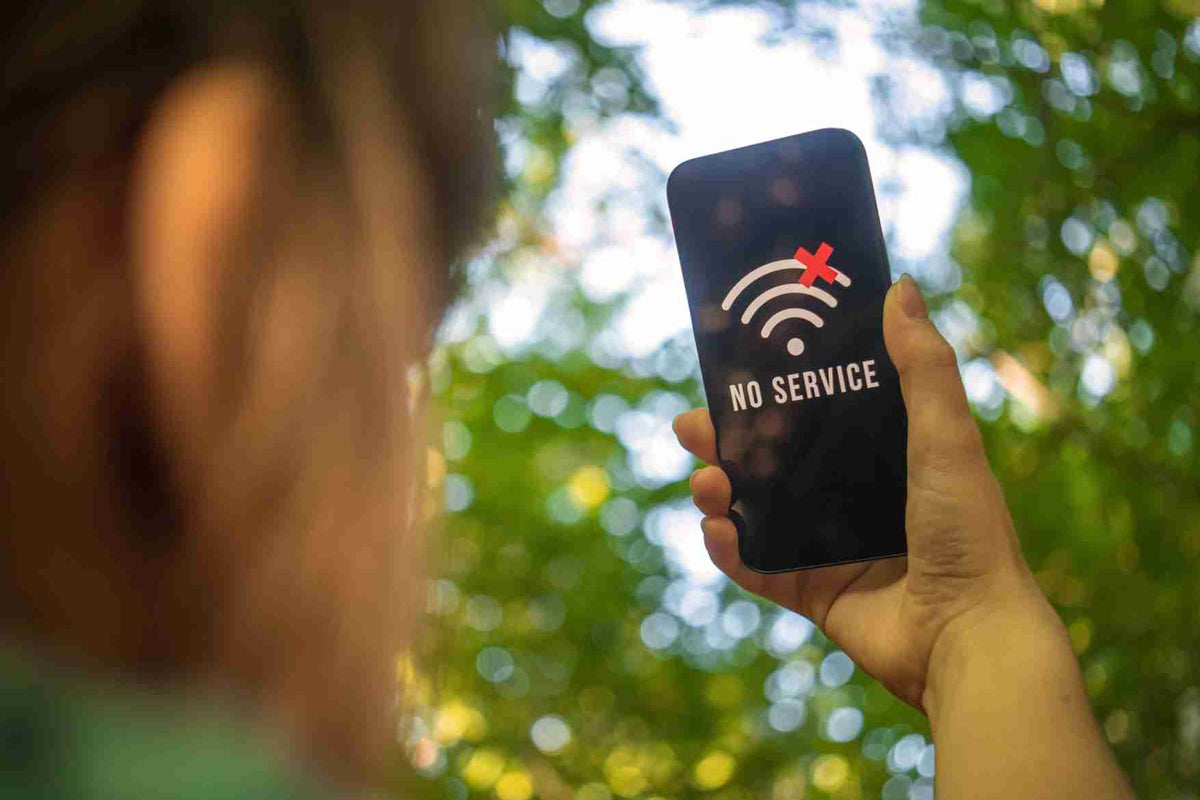
When the internet goes down and phone calls will not connect, the most important question is not which app to open next. It is whether your household already has another way to exchange information, reunite, and receive official alerts.
A communications outage may be brief and local, or it may accompany a power failure, severe storm, wildfire, earthquake, cyber incident, or evacuation. Cell service might be unavailable, merely congested, or working unevenly from one neighborhood to the next. Your plan should therefore use several layers instead of depending on a single device.
If phone service suddenly becomes unreliable:
- Check for immediate hazards and follow evacuation or shelter instructions.
- Send a short text instead of repeatedly placing voice calls.
- Try your household's out-of-area contact.
- Monitor official alerts and a battery-powered radio.
- Use your prearranged meeting place only when it is safe to travel.
- Conserve phone battery and keep emergency lines clear.
This guide explains how to communicate without internet access, what different radios can and cannot do, and how to build a family emergency communication plan before you need it.
Why Internet and Phone Service Can Fail

Your smartphone is only one part of a much larger system. Calls, texts, mobile data, home Wi-Fi, and internet-based messaging depend on different combinations of cell sites, wired networks, data centers, local power, backup power, and service-provider equipment.
A failure does not always take everything down at once. You may encounter any of these situations:
- Network congestion: Service exists, but too many people are trying to call or use data at the same time.
- Local power failure: Your router is off and some nearby communications equipment may eventually exhaust its backup power.
- Damaged infrastructure: Flooding, fire, wind, earthquakes, or construction can damage cables, utility poles, cell sites, or switching equipment.
- Internet outage: Apps and home internet may fail while ordinary calls or SMS texts still work.
- Cellular outage: Your home internet connection may still work, allowing Wi-Fi calling or internet messaging if those services were configured beforehand.
- Device failure: The network may be available, but your phone is damaged, lost, or out of power.
This is why “no internet” and “no phone service” are not always the same problem. Test the options that remain, but do not waste battery by continuously refreshing apps or redialing.
What to Try First When Calls Will Not Go Through
Send a Short Text Message
During network congestion, a brief SMS text may go through when a voice call will not. Send only the essential information: who you are, where you are, whether you are safe, and what you plan to do next.
For example: “Safe at Northside School shelter. Staying here until 6 PM. Reply by text.”
Avoid sending large photos or videos. Do not keep resending the same message every few seconds; delivery may be delayed and duplicate messages can create confusion.
Contact Someone Outside the Affected Area
Local communications may be congested even when a call or text to another region still works. Choose one relative or friend outside your area as the household's central contact. Every family member should have that person's number on paper and know to report their location and status to them.
Use Wi-Fi Calling Only If Internet Service Still Works
If cellular service is unavailable but a powered internet connection remains, Wi-Fi calling or an internet messaging service may still work. Set up Wi-Fi calling before an emergency and keep your emergency address current with your provider. Remember that a home router, modem, and internet-provider equipment all require power somewhere in the system.
Use Satellite Emergency Features as a Backup, Not the Whole Plan
Some newer phones and dedicated satellite messengers can send emergency messages when cellular and Wi-Fi networks are unavailable. Availability depends on the device, service, location, view of the sky, and regional support. Learn the feature and its limits in advance. It should supplement—not replace—meeting points, written contacts, and local alerts.
Conserve Your Battery
- Enable low-power mode and reduce screen brightness.
- Turn off Bluetooth, background refresh, and unnecessary location services.
- Use airplane mode when you are not actively checking for service.
- Close streaming and navigation apps after use.
- Keep a charged power bank and the correct cable in your emergency kit.
- Write down critical information while the phone still has power.
If the outage is connected to a broader loss of electricity, see our guide to preparing for power outages and grid disruptions.
Communication Methods That Work Without the Internet

No single backup works in every situation. The strongest plan combines a method for receiving information, a method for talking within the local area, and a no-technology method for reuniting.
| Method | Best use | Main limitation |
|---|---|---|
| SMS text | Short status updates when the cellular network is congested | Still requires some cellular service |
| Battery or hand-crank radio | Receiving official weather and emergency information | One-way communication only |
| FRS or GMRS radio | Short-range communication with family or neighbors | Range varies; channels are not private |
| Amateur radio | Trained local or long-distance radio communication | Requires equipment, practice, and normally a license to transmit |
| Traditional wired landline | Calls during some household power outages | Many modern home-phone services and cordless handsets need power |
| Meeting points and written notes | Reuniting when devices and networks are unavailable | Must be agreed upon before the emergency |
Radio Communication: Know What Each Radio Does
Battery-Powered or Hand-Crank Emergency Radio
An emergency radio is primarily an information receiver. In the United States, a radio capable of receiving NOAA Weather Radio can provide forecasts, watches, warnings, and emergency information from the National Weather Service. An AM/FM receiver can also pick up local stations carrying public instructions.
Choose a radio that can run on replaceable batteries, an internal rechargeable battery, or a hand crank. Keep spare batteries stored separately and test the radio periodically. A hand crank is useful, but it is better treated as a final charging option than your only power source.
Important: A broadcast or weather radio lets you receive information; it does not let you talk to responders.
FRS and GMRS Two-Way Radios
Small two-way radios can help household members communicate around a neighborhood, shelter, work site, or campground without the internet or a cellular network. Real-world range can be much shorter than the large maximum-range number printed on the package because buildings, hills, trees, terrain, antenna height, and radio power all matter.
In the United States, Family Radio Service (FRS) radios can be used without an individual license. General Mobile Radio Service (GMRS) operation generally requires an FCC license, although there is no examination. Rules differ by country, so confirm local requirements before buying or transmitting.
Agree on a primary channel, a backup channel, and scheduled listening times. Keep messages short. Never share sensitive personal information, because other people using the channel may hear you. Radio “privacy codes” reduce unwanted chatter but do not make a conversation private.
Amateur (Ham) Radio
Amateur radio can support local, regional, and sometimes long-distance communication, but it is not an instant solution that begins when the disaster does. Effective use requires suitable equipment, an antenna, practice, knowledge of local repeaters and frequencies, and normally an amateur-radio license to transmit.
If this interests you, join a local amateur-radio club and become licensed before an emergency. Trained operators often participate in organized emergency communications, but an unopened radio in a closet is not a plan.
Can a Landline Work During a Power Outage?
Sometimes—but “landline” can describe different technologies.
- Traditional copper telephone service: A simple corded phone may continue working during some local power outages because the line can receive power from the telephone network.
- Cordless phone: The base station normally needs household electricity, so the handset may not work even if the telephone line does.
- Cable or fiber home phone: Voice over Internet Protocol (VoIP) service usually depends on a modem, router, optical-network terminal, or other powered equipment. A backup battery may provide limited operating time.
Ask your provider what type of service you have, how long its backup power is expected to last, and whether a corded phone can be connected. Test the arrangement safely before relying on it.
Build a Family Emergency Communication Plan
The plan should be simple enough for every household member—including children—to follow under stress. Write it down, give everyone a copy, and store copies at home, at work, in school bags, in vehicles, and with your emergency supplies.
1. Record Essential Contacts
Include:
- Every household member's phone number
- An out-of-area contact
- Nearby relatives, friends, and trusted neighbors
- Schools, workplaces, childcare providers, and caregivers
- Doctors, pharmacies, utility providers, and insurance contacts
- Local non-emergency public-safety numbers
Do not depend entirely on contacts stored in a locked or powerless phone. Add medical, mobility, language, and pet-care information that another person may need if family members are separated.
2. Choose Meeting Places
Select at least three locations:
- Near home: for an event such as a house fire.
- Outside the immediate neighborhood: if the area is closed or evacuated.
- Outside the community: if family members cannot return to the area.
A meeting place must be specific. “The park” is less useful than “the north entrance beside the community-center sign.” Choose locations that are accessible to everyone in the household and never enter a dangerous or restricted area simply because it was preselected.
3. Decide How and When to Check In
Agree on an order of contact: first send a text to the household group, then contact the out-of-area person, then move to the designated meeting plan if communication remains unavailable and travel is safe.
If your household uses radios, select the channels and check-in times in advance. For example, everyone might listen for five minutes at the top of each hour. Scheduled check-ins conserve batteries and prevent one person from transmitting while another radio is switched off.
4. Plan for School and Work
Know the emergency and reunification procedures for each school, workplace, assisted-living facility, or childcare provider. Schools may not release a child to someone who is not listed as an authorized pickup person. Record those policies and avoid creating a conflicting family plan.
5. Establish a Safe Note System
Choose one protected location where household members can leave a written message. A note should include the person's name, destination, time of departure, intended route, and next check-in time.
Do not put detailed travel plans or a message announcing that the home is empty where strangers can easily see it. Use an agreed location or simple code known to household members.
6. Download and Print Important Information
Save offline maps of your area and evacuation routes. Print the communication plan, local shelter information, medication list, and basic first-aid instructions. If a family member uses an address, medical record, or translation stored online, keep a secure offline copy.
For route-finding skills that do not depend entirely on a phone, read our advanced navigation guide.
7. Practice the Plan
A plan that nobody remembers is only a document. Run a short household drill at least twice a year:
- Turn off Wi-Fi and pretend voice calls are unavailable.
- Have each person find the paper contact card.
- Send the agreed short check-in message.
- Confirm everyone knows the meeting places.
- Test radios and replace weak batteries.
- Review school, work, mobility, and pet arrangements.
What to Put in an Emergency Communication Kit
- Printed family communication plan
- Laminated wallet-size contact cards
- Battery-powered or hand-crank AM/FM and NOAA Weather Radio receiver
- Compatible two-way radios, if they fit your household plan
- Spare batteries stored in their original packaging
- Charged power banks and charging cables
- Car charger or carefully selected solar charging option
- Permanent marker, pencils, waterproof notebook, and tape
- Paper maps marked with meeting places and alternate routes
- Whistle and flashlight for short-range signaling
- Copies of local emergency frequencies and non-emergency numbers
Review the kit every six months. Recharge power banks, replace expired batteries, update phone numbers, and confirm that every household member still knows where the kit is stored.
Communication Is Only One Part of Outage Readiness
A communications failure often occurs alongside another disruption. If electricity is out, stores may close, electronic payment systems may be unavailable, fuel pumps may not operate, and normal cooking may become difficult. Your plan should therefore cover water, food, medications, lighting, sanitation, and power as well as communication.
Start with the Preparedness Resource Center, then use the Emergency Food Guide and our guide to how much emergency food to store to build a reserve appropriate for your household.
Ready-to-eat food can be particularly useful when an outage affects refrigeration or kitchen appliances. For example, MRE STAR M-018H complete meals with heaters are fully cooked and can be eaten hot or cold. The entrée does not need to be rehydrated, although a small amount of water is used to activate the included flameless heater. Households with dietary preferences can also consider MRE STAR Vegetarian meals or review the important cross-contact notice on MRE STAR No Gluten meals.
Before buying, read the Complete Guide to MREs to compare complete meals with entrée-only pouches, understand heaters and storage temperatures, and decide where MREs fit within a broader food plan.
Frequently Asked Questions
How can I communicate if there is no internet or cell service?
Use a layered plan: prearranged meeting places, an out-of-area contact, written notes in an agreed secure location, and short-range two-way radios where appropriate. Use a battery-powered radio to receive official information. If your device supports satellite emergency messaging, learn how to use it before an outage.
Will text messages work when phone calls do not?
Sometimes. During congestion, a short SMS message may be delivered even when a voice call will not connect, but texting still requires a functioning cellular network. Delivery can be delayed, so include the time in urgent status messages and avoid repeatedly resending them.
Do walkie-talkies work without cell towers?
Yes. Compatible two-way radios communicate directly over radio frequencies and do not require cellular service or internet access. Their practical range depends on the equipment, terrain, buildings, antenna height, and local conditions. Channels are shared and should not be treated as private.
Can I contact emergency services with a two-way radio?
Do not assume that a responder is monitoring your channel. Use 911 by voice or text where local text-to-911 service is available, follow official local instructions, or use an appropriate satellite emergency feature if supported. A household radio is mainly for communication among people using compatible equipment.
Do landlines work when the power is out?
Some traditional copper-line services can power a basic corded phone during a household outage. Cordless phones, cable voice, fiber voice, and VoIP equipment generally need local electricity or backup power. Ask your provider which service you have.
What is the most important part of an emergency communication plan?
Every household member should know the out-of-area contact, the primary and alternate meeting places, and the agreed steps for checking in. Keep the plan on paper, not only on a phone.
Prepare the Plan Before the Signal Disappears
You do not need a complicated command center to stay connected during an outage. You need several practical options that do not all depend on the same network: a short-text strategy, a written contact card, an out-of-area contact, a radio for official information, an appropriate local communication tool, and meeting places everyone understands.
Make the plan while your devices work. Practice it while there is no pressure. When an internet or phone outage happens, your household will spend less time guessing and more time acting on information everyone already shares.
Preparedness note: Emergency conditions and communications capabilities vary by location. Follow instructions from local authorities. For current U.S. planning guidance, consult Ready.gov, the FCC/FEMA emergency communications tips, and the National Weather Service's NOAA Weather Radio information.